50% OFF
Compatible with all versions
of Logos Bible Software
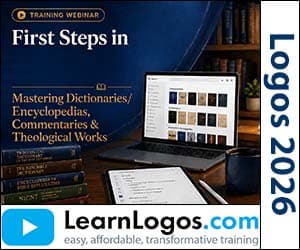
First Steps in Logos: Mastering Dictionaries/Encyclopedias, Commentaries & Theological Works
Category: Logos Training
Video TrainingClosed Captions
| Retail Price | $15.99 |
| Your Price | $7.99 |
| VIP Price(Join Today & Save!) | $5.00 |
Create New Account
To add products to your cart, create an account. Only your email is needed. Create your account here.
Already have an account? Sign in to add to cart.
Sign in or create an account to save to wishlist.
Secure CheckoutInstant DownloadLifetime Access
About This Training
Dr. John Fallahee walks through how to efficiently use Logos’ dictionaries, encyclopedias, commentaries, and theological resources for Bible study. He shows how to search for terms like "Aaron" using tags and filters, extract related Bible verses, and organize insights with custom tags. The session highlights the importance of peer-reviewed resources over AI summaries and demonstrates practical workflows for connecting textual details to broader theological context.
What You'll Learn
- Dr. John Fallahee demonstrates searching dictionaries and encyclopedias using "type: encyclopedia" to filter relevant books like the Tyndale Bible Dictionary and Who’s Who in the Bible.
- He shows how to select text from a dictionary entry and generate a passage list of Bible verses referencing that term, such as creating a list of all verses about "Aaron."
- The Factbook feature is used to summarize key insights about a term, including quotes, events, and media, with options to narrow results like "quotes of Aaron" or "events Aaron participated in."
- Community tags are applied to commentaries for filtering, such as using "tag:application" to find practical, sermon-focused resources like the Life Application Commentary.
- Custom tags (e.g., "tag: commentary Falihi") are created to organize resources for targeted study, with examples of grouping commentaries by series or depth.
- Advanced search techniques include using "subject:topic" to find commentaries on a theme without it appearing in the title, and narrowing results with sub-topics like "prophecies" after "revelation."
- Commentary categories are explained, including devotional, expositional, exegetical, technical, and application-focused works, with examples like the Handbook of Bible Application for practical insights.
- Theological works are searched using "type:theology" to access systematic and biblical theology resources, with recommendations to use "type:journal" for theological journals like Bibliotheca Sacra.
- Public domain collections are downloaded via the "documents > public" section, including theology guides, historical background resources, and cross-referenced categories.
- The CLEAR study method (Confess, List, Exegete, Analyze, Relate) is introduced as a structured approach to Bible study, integrated with Logos tools like the Passage Guide.
- Advanced search strategies include using manuscript, lemma, and transliteration data (e.g., copying Greek transliteration for "fled" in Revelation 20:11) to refine searches across commentaries.
- Linking features are shown, such as synchronizing a Bible with a commentary for side-by-side navigation and using parallel texts to compare translations.