Compatible with all versions
of Logos Bible Software
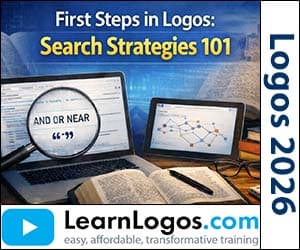
First Steps in Logos: Search Strategies 101
Category: Logos Training
| Retail Price | $15.99 |
| Your Price | $7.99 |
| VIP Price(Join Today & Save!) | $5.00 |
Create New Account
To add products to your cart, create an account. Only your email is needed. Create your account here.
Already have an account? Sign in to add to cart.
Sign in or create an account to save to wishlist.
About This Training
In this webinar, Dr. John Fallahee walks through the essential search tools in Logos Bible Software that make Bible study more focused and efficient. You’ll learn how to navigate the right‑click menu, use the manuscript search for exact original‑language terms, and apply lemma and morphology filters to find precise grammatical forms. The session also shows how to combine these lexical tools with the Bible Browser and the Fact Book to broaden or narrow your research quickly.
You’ll see practical ways to use Boolean operators, search templates, and speaker tags to locate passages where specific people spoke or where particular concepts appear. The training covers searching commentaries, breaking down grammatical elements, and leveraging AI‑enhanced “smart” searches for flexible results. By the end, you’ll have a toolbox of step‑by‑step techniques to locate the exact verses you need and to study them with confidence.
What You'll Learn
- Introduction to Logos and its value compared to AI tools, highlighting peer‑reviewed resources
- Right‑click menu navigation: word selection, interlinear Bible requirement, and manuscript search
- Manuscript search: finding the exact Greek/Hebrew word form for precise lexical results
- Inline search: filling the current window and why it’s discouraged for maintaining text access
- Lemma search: using the base Greek word to retrieve exhaustive New Testament results
- Morphology‑based searches: filtering by tense, voice, mood, and other grammatical features
- Root word searches: exploring variations of a base lexical item for deeper lexical insight
- Strong’s numbers and Lexham Sense: understanding definitions, nuances, and contextual examples
- Integration with AI tools: copying search results into ChatGPT for supplemental analysis
- Sense search: finding conceptually related terms across languages and contexts
- Person/Thing and Event tags: linking terms like “beast” or “false prophet” to broader theological themes
- Theological and literary tags: searching for themes such as “theophany,” “visionary,” or “propositional outline”
- Event Navigator: right‑clicking events to view linked events, sub‑events, and cross‑references
- Right‑click menu as a launch pad: accessing manuscript, lemma, morphology, sense, tags, and events in one place