Compatible with all versions
of Logos Bible Software
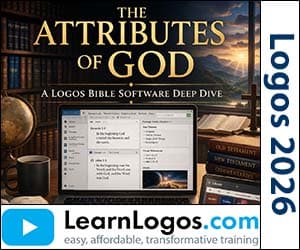
The Attributes of God: A Logos Deep Dive
Category: Logos Training
| Retail Price | $15.99 |
| Your Price | $7.99 |
| VIP Price(Join Today & Save!) | $5.00 |
Create New Account
To add products to your cart, create an account. Only your email is needed. Create your account here.
Already have an account? Sign in to add to cart.
Sign in or create an account to save to wishlist.
About This Training
In this webinar, Dr. John Fallahee walks through practical ways to study God’s attributes using Logos Bible Software. He shows how to build collections, organize notes, and use Logos’ AI tools to explore theological themes like omniscience, holiness, and love. The focus is on organizing your study materials so you can engage deeply with Scripture without feeling overwhelmed. You’ll see step-by-step how to create custom collections, tag text with specific attributes, and link highlights to notes for clearer, more focused Bible study.
The session emphasizes using Logos’ features — like passage lists, notebooks, and highlighting palettes — to manage large amounts of theological content. Rather than just showing tools, Dr. Fallahee demonstrates how to structure your study around real passages and resources, from classic works like Charnock’s *Discourses* to practical guides like Robert Morey’s *The Attributes of God*. The goal is to help you develop a consistent, organized approach to studying God’s character, making your time in Scripture more meaningful and productive.
What You'll Learn
- Dr. John Fallahee introduces the webinar’s focus: studying God’s attributes using Logos’ organizational tools
- He demonstrates creating a personal notebook titled “Attributes of God (Webinar)” to structure study notes
- He shows how to create notes for specific attributes (e.g., “Holy,” “Love”) and embed Bible verses for reference
- He explains removing anchors from notes to avoid redundancy when compiling material from multiple sources
- He demonstrates generating a passage list for “holy” by selecting text, using Add > Selected Text, and organizing results with headings
- He shows how to drag and reorder individual verses in a passage list for better flow and clarity
- He walks through downloading and adding free theology collections (e.g., “07 Theology All”) via Documents > Public
- He explains managing Logos’ quirks, like blank results, and refreshes needed when searching
- He shows how to add collections to “My Docs” and organize them in the Documents section for easy access
- He demonstrates using advanced search operators like “near” and parentheses to refine searches (e.g., “omniscience or all-knowing”)
- He shows how to search within specific collections, such as “Theology All,” to narrow results
- He uses the Bible Browser to explore pre-existing tags like “omniscience” and “God’s attributes”
- He combines tags (e.g., “omniscience + Psalms”) to find nuanced relationships between themes and Scripture
- He demonstrates searching for first-person actions (e.g., “I am” in Genesis 4:10) to infer God’s attributes indirectly
- He shows how to use participle phrases (e.g., “God said”) to uncover God’s actions and attributes
- He accesses fact books like Walter Elwell’s *Topical Analysis of the Bible* to find structured lists of attributes and supporting passages
- He highlights systematic theology resources like Wayne Grudem’s *Biblical Doctrine* for organized study of God’s character
- He shows how to use Logos AI to generate lists of attributes, identify related topics, and create study outlines
- He demonstrates creating a personal book by generating a .docx file with AI and importing it into Logos
- He explains how to use the chain link feature to paste search links into notes for future reference
- He emphasizes organizing tagged content through searches and notebooks to maintain clarity and avoid clutter
- He concludes by reinforcing the importance of structured study to deepen understanding of God’s nature