Getting Started with Logos Bible Software
New to Logos? Start your journey here. Our beginner training covers everything you need to know to get up and running—from basic navigation to your first Bible study. No prior experience required.
Beginner Training Training (24 courses)
How to Think & Reason Biblically & Theologically with Logos
First Steps in Logos: Mastering Dictionaries/Encyclopedias, Commentaries & Theological Works
Building Your Personal Prayer and Devotion Study System with Logos
Inductive Bible Study Basics for Logos: Cross-Referencing & Historical Background
The Attributes of God: A Logos Deep Dive
First Steps in Logos: Search Strategies 101
Inductive Bible Study Basics for Logos: Prayer, Observations, & Word Studies
First Steps in Logos Essentials: Layouts, Collections, Guides & Notes

Dissertation Process: Start to Finish Using Logos Bible Software
How to Study the Doctrine of Salvation (Revised 2025)
Illustrations, Applications, and AI
Surprising Uses of Logos' Factbook
Comparing the Sacrificial Systems: Old Testament vs. Millennial Kingdom
How to Study Hebrews 11 "Hall of Faith"
Search Strategies (Revised 2025)
Who are the Nephilim and Rephaim?
Beginner Basics: Notes and Highlighting (Revised 2025)
How to Study Biblical Prophecy (Revised 2025)
Studying All the Temples in the Scriptures
Tracing Doctrines Through the Scriptures with Logos Bible Software
How to Study the Trinity with Logos Bible Software
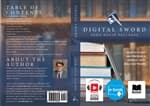
DigitalSword Paperback Print, eBook & Audio (PRE-ORDER)
REFLECT the Glory of God in Prayer (Print, eBook Digital, Audio)
How to Survey Any Book of the Bible (2025)
Frequently Asked Questions
Is Logos hard to learn?
While Logos is powerful software with many features, the basics are straightforward to learn. With proper training, most users become comfortable with core features within a few hours. Our beginner courses guide you step-by-step.
Where should I start with Logos?
Start with our Getting Started or Fundamentals training to learn the interface and core features. Then progress to topic-specific training based on your interests (Bible study, sermon prep, etc.).
What is the best way to learn Logos Bible Software?
The best approach is to start with fundamentals training to understand the interface and core features, then progress to topic-specific training like Bible Study Methods or Sermon Preparation based on your needs. LearnLogos offers structured courses for all skill levels.
How long does it take to learn Logos?
Basic proficiency can be achieved in a few hours with focused training. However, Logos is a deep program with hundreds of features. Most users continue learning new capabilities for years. Our training is designed to help you be productive immediately while building deeper skills over time.
Related Topics
Logos 10 Training
Comprehensive training for Logos 10, including all the new features, AI capabilities, and enhanced workflows. Whether you're upgrading from an earlier version or starting fresh, these courses will help you maximize your Logos 10 experience.
Bible Study Methods
Discover how to study the Bible effectively using Logos Bible Software. Our training covers inductive Bible study, exegetical methods, hermeneutical principles, and practical techniques for deeper understanding of Scripture.
Passage Guide
The Passage Guide is one of Logos's most powerful features, bringing together commentaries, cross-references, word studies, and more for any Bible passage. Learn how to use it effectively.
